Skip to content

Features

Everything in one app

Five simple tabs for everyone: Home, Teams, Chat, Volunteer and Give. What you can do depends on your role, and your organization decides who gets which powers. Leaders also get a desktop website for setup and reports.

For schools and athletic departments

One safe system for every team

You stay in charge of who's in, what goes out, and every safety report.

You approve who's in

Add, verify and remove coaches and club leaders. Families join only with your invite codes. Remove anyone instantly.

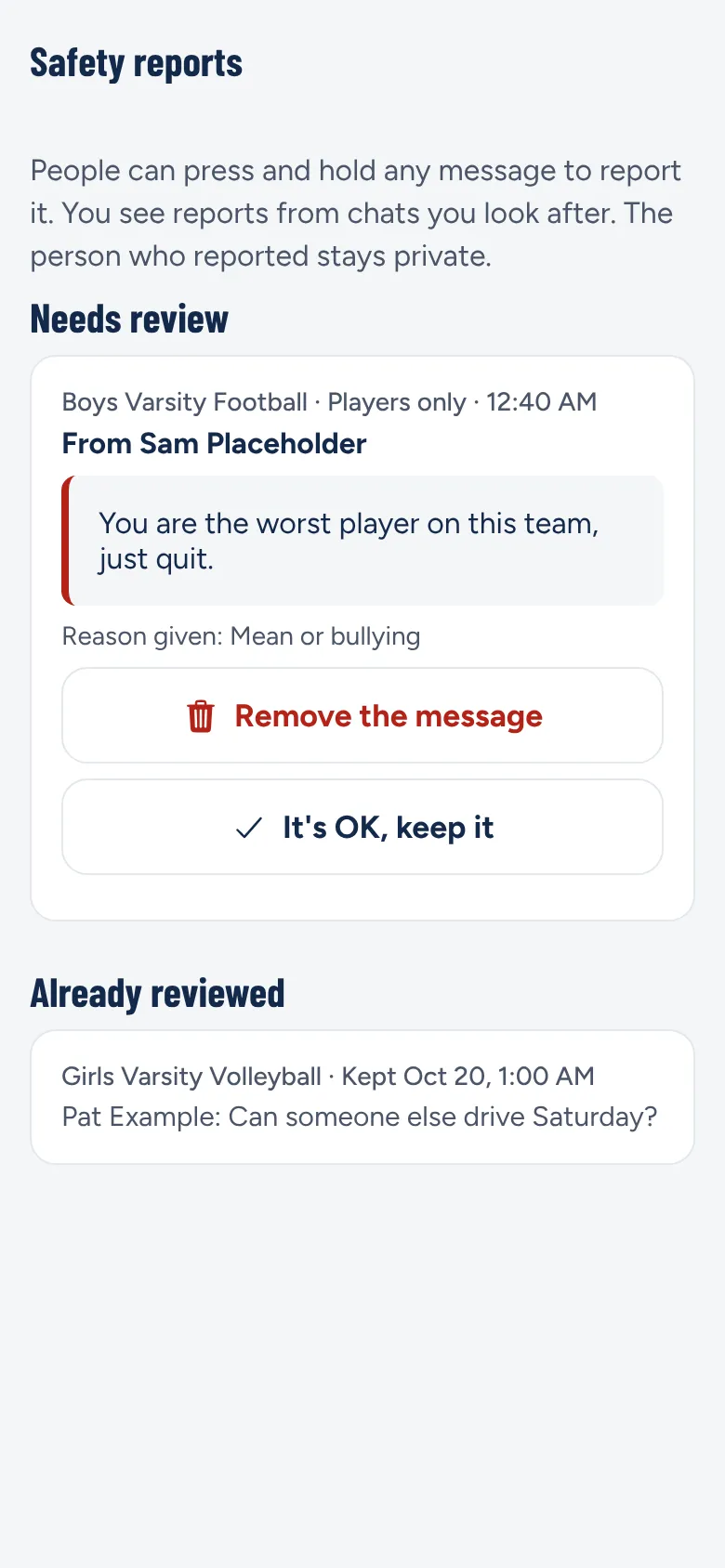
Reported messages come to you

You see every safety report. Messages can't be secretly deleted.

Safety concerns skip the coach

Concerns like bullying, hazing or injury come straight to you.

School-wide and emergency alerts

Reach every family at once, including emergency alerts during quiet hours.

Schedules you already keep

Games come straight from Schedule Galaxy (Aktivate). Coaches add practices.

Your colors and logo

Upload your mascot and pick your colors, with a full preview before you save.

End-of-season surveys

A reminder when it's time, and you tap Send. You choose what coaches see.

Service hours rules

Choose which events count for community service, and name an approver like the honor society advisor.

Post approval switch

Turn on approval before anything goes out school-wide.

Privacy paperwork ready

We sign your district's data privacy agreement and follow FERPA, COPPA and NY Ed Law 2-d. Schools can pay by purchase order.

The Safety reports screen with a reported message waiting for review

For booster clubs

Run the club, not the paperwork

Fill every shift, count every hour, and give your board the numbers it needs.

Shifts for a whole season

Post concession shifts and food lists for every home game at once. See which shifts are still empty.

Hours that count themselves

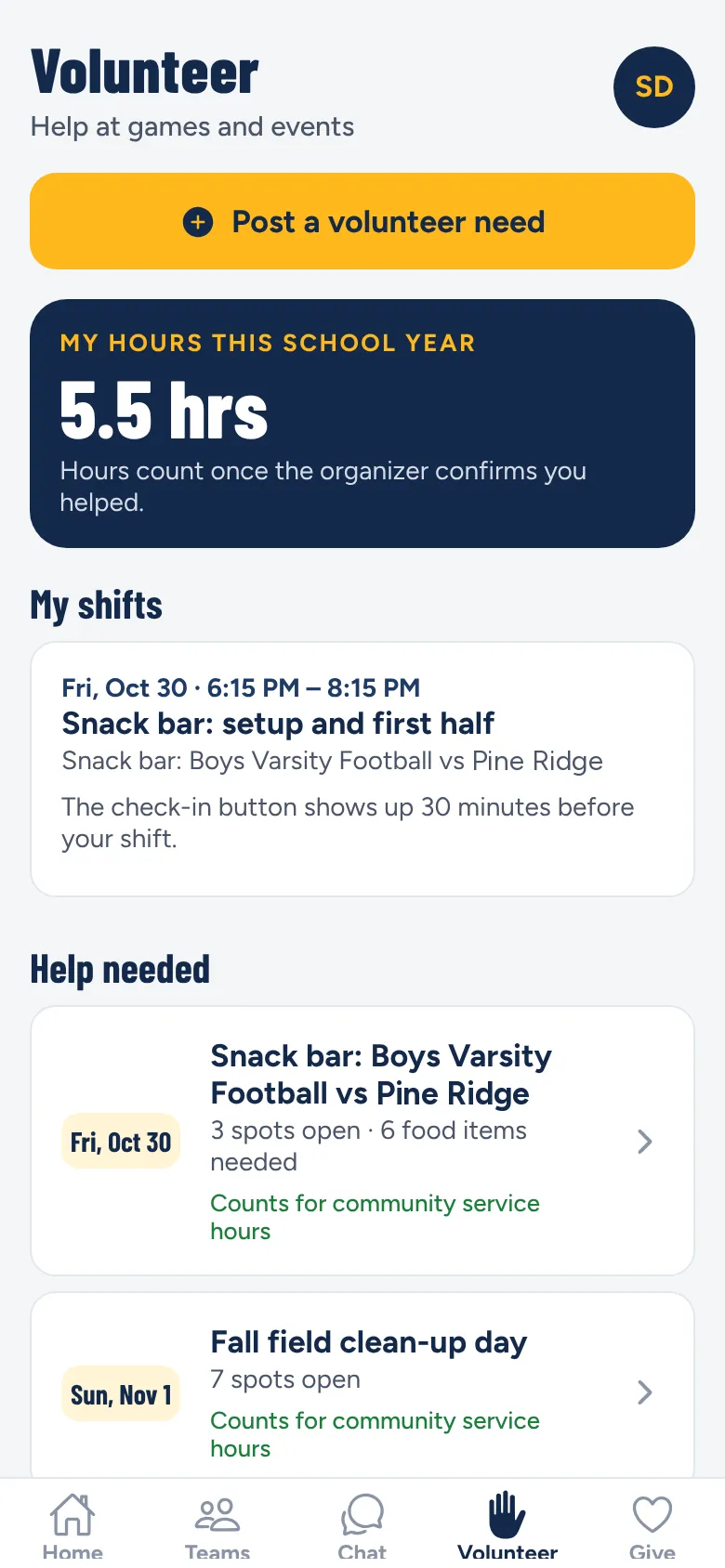
Volunteers tap Check in and Check out. Leaders confirm hours with a tap. Badges at 10, 25 and 50 hours, and printable service hours records.

Leader dashboard

Three big numbers (volunteer hours, money raised per event, money raised overall) and a "Needs your attention" list. Download any report as a spreadsheet.

Points and rewards

Set your own rules: what earns points, what they buy (hoodies, clinics, a family requirement), and when they reset. Spirit points and a House Cup if your school wants one.

Events and Hype Nights

One event builder for tournaments, banquets, alumni games and Pink Out nights. "Hype me up" suggests themes, posters and an alert plan.

Requests to teams

Ask teams to send helpers ("4 players for Trunk or Treat"). Coaches answer in one tap, and a scoreboard shows team totals.

Snack bar status

Every home game shows if the snack bar is open and tonight's hot food menu.

Surveys

Interest checks, end-of-season surveys and quick polls, with live charts and Excel export.

Roles that match your board

A president with every power, a treasurer who sees the money (and no chats), and a volunteer coordinator for sign-ups and hours.

The Volunteer tab showing hours this school year and open snack bar shifts

Fundraising and payments

Every dollar, tracked

Money goes straight to your organization's own bank account through Stripe. Families pay by card, Apple Pay, Google Pay or Cash App Pay. Cash is always welcome too.

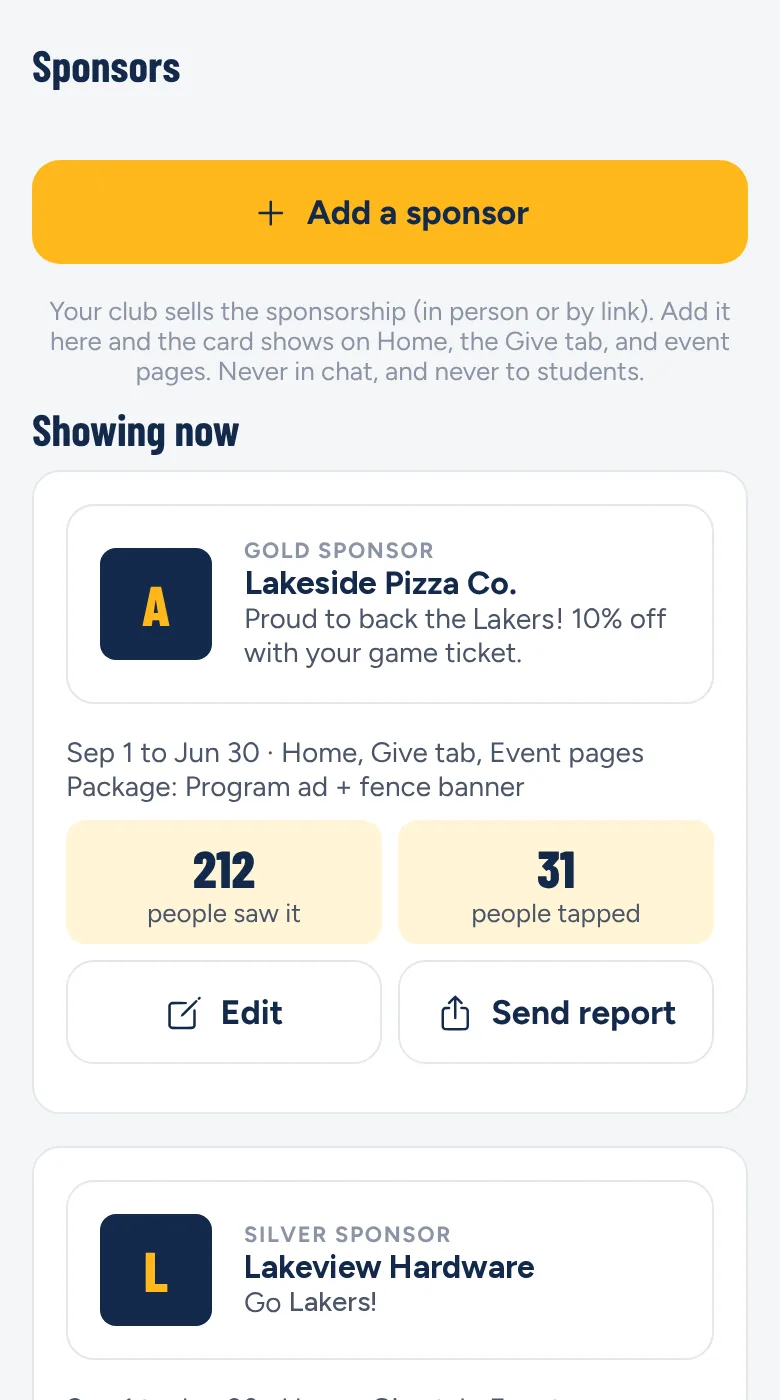
The Sponsors screen showing a gold sponsor card and how many people saw and tapped it

Donations and fundraisers

  • Give to the club, a team, or a fundraiser with a progress bar ("New scoreboard: $3,200 of $5,000")
  • One-time or monthly gifts. Grandparents and alumni can give from a web link with no app
  • Emailed receipts, marked tax-deductible when your club has IRS status
  • "Cover the card fee" is on by default, and donors can round up for the club
  • Donor names stay private unless the donor chooses to be thanked publicly

Event tickets

  • Sell tickets for banquets, tournaments and alumni games, or give out free tickets
  • Tickets arrive in the app as a QR code, and a volunteer scans them at the door
  • No signal? Download the ticket list before the event
  • Sales tax on or off, with your own rate

Snack bar payments

  • The app makes a QR code for each event's stand. Print it or show it on a phone
  • Fans scan it, type the total, and show the green "Paid" screen
  • Works even when the stand has no internet, as long as the buyer's phone has signal
  • Volunteers tap in cash sales so the night's totals stay right

Spirit wear store

  • One athletics store with apparel for every sport, inside the Give tab
  • Print-on-demand, so your club never buys or stores inventory
  • Home shipping or school pickup, with optional order windows
  • Your club sets its own profit. Students can buy with a parent's OK

Local sponsors

  • Sell sponsorships with your own levels, like Gold $500 and Silver $250
  • Sponsor cards show on Home, the Give tab and event pages, to adults only
  • Sponsors get a simple report of how many people saw and tapped
  • Your organization keeps 75%

Easy money setup

  • One authorized person (treasurer, president or owner) fills in the tax paperwork once
  • BoosterBench never sees or stores card or bank numbers
  • The treasurer sees all money reports, and big changes need the owner's OK
  • For school booster clubs, the AD gets a notice when money collection turns on

See fees and pricing

For town rec, Little League and youth programs

Youth sign-ups without the paperwork pile

Independent programs get their own BoosterBench account. No school needed.

Your own account

Town rec, Little League and youth programs sign up on their own. No school needed.

Three-step registration

Parents pick the child, answer questions and sign forms, then pay.

Fees made easy

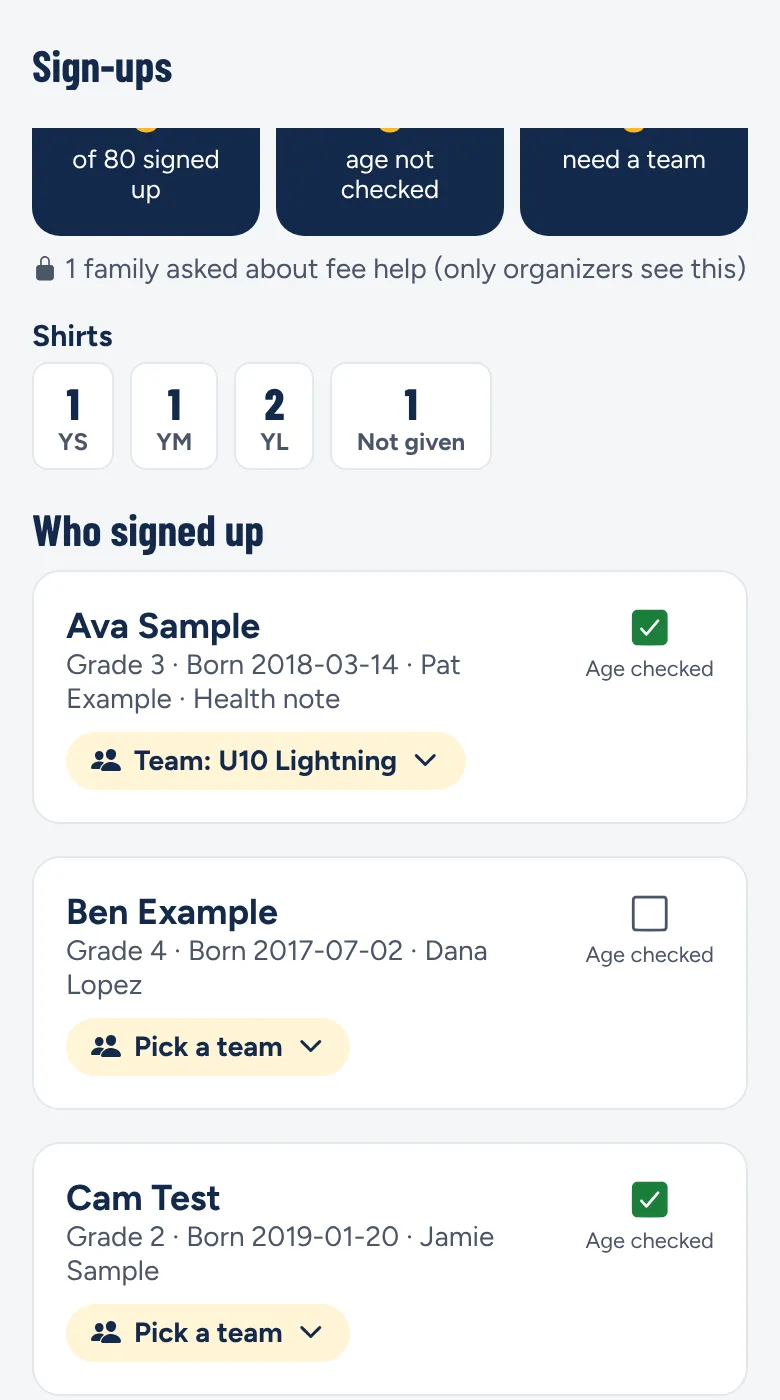
Sibling and early-bird discounts applied automatically, payment plans for fees over $25, and private fee-help requests only the director sees.

Live totals

Shirt counts, who signed up, and a list of who hasn't paid. Directors can mark cash payments.

Rosters and paperwork

Download rosters, shirt orders and emergency sheets.

Announce teams

Teams stay private until you tap "Announce teams," then every family is told at once.

Emergency calls, privately

Coaches can call a player's emergency contact from the roster without seeing the number.

Grant questions

Optional questions for grant reports, shown to directors as totals only.

A program leader's sign-up list with shirt sizes and players to place on teams

For travel and AAU teams

Away games, sorted

Rides, tournaments, waivers and fees for teams that are always on the road.

Private carpools

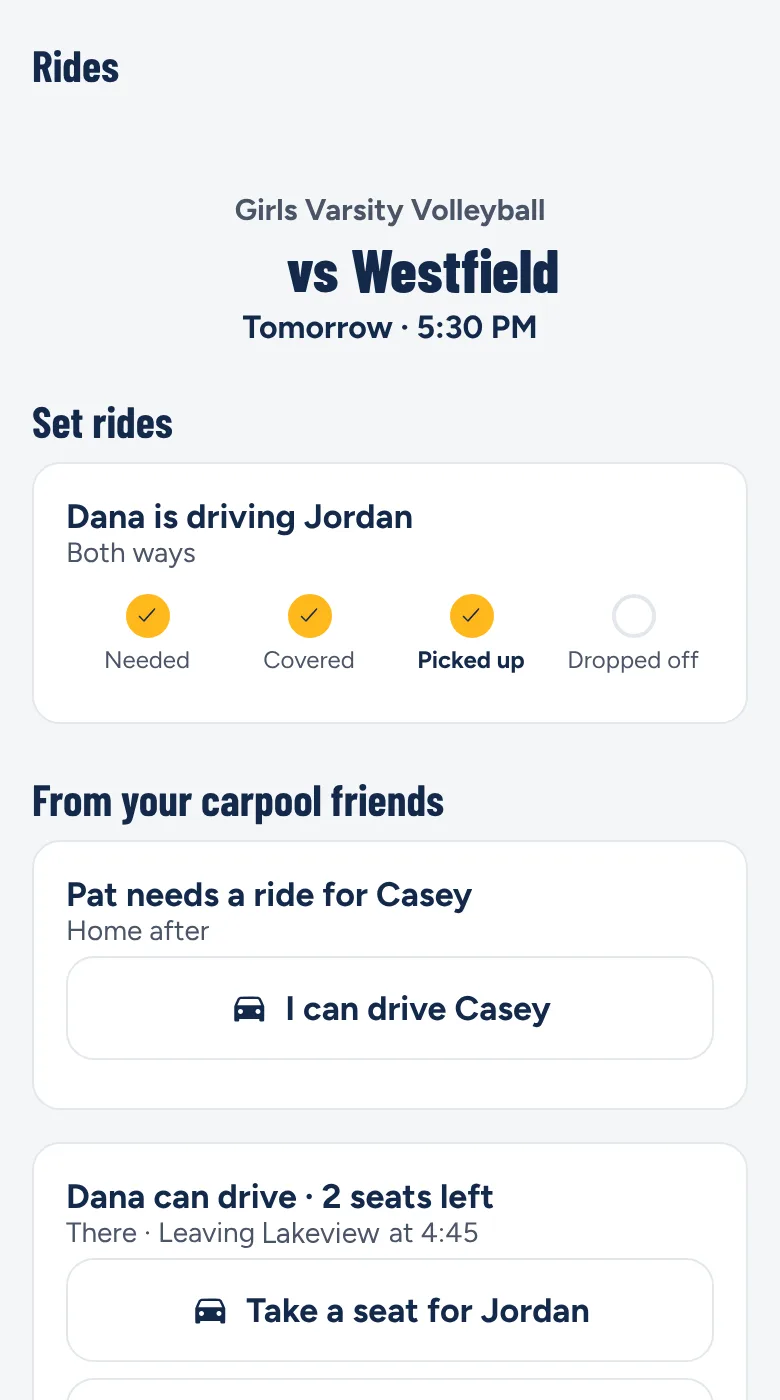
Ask for or offer rides for any game or practice, only with carpool friends you choose. Meeting spots, never home addresses.

Tournaments

Run tournaments with paid or free tickets. Tickets arrive as a QR code that a volunteer scans at the door.

Waivers

Parents tap-sign a waiver for each player under 18, and signed copies are saved.

Team fees and fundraisers

Collect fees with payment plans, and run team fundraisers with a progress bar.

Event chats

A tournament or program can have its own chat with its organizer. It closes on its own after the event.

Safety without an AD

When there's no athletic director, safety reports go to your organization's owner.

One family login

Families use the same login for school teams and travel teams, with walls between organizations.

Secure team chat

Team + Parents and Parents-only chats, with no personal cell numbers.

The Rides screen for an away game, showing a ride in progress and open seats

For coaches

Run your team from your phone

Everything a coach needs, and no personal cell number to hand out.

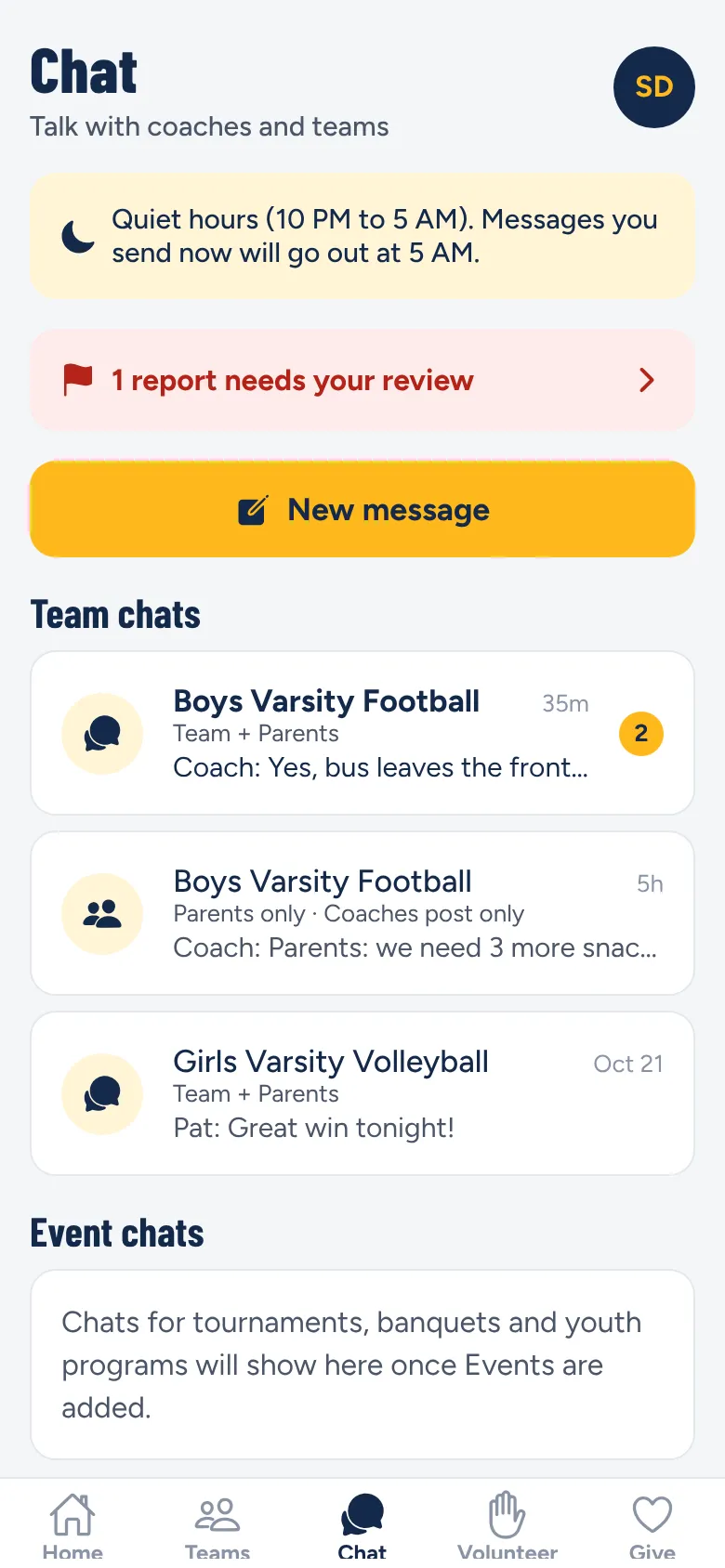
Secure team group chats

Chat with players and parents, plus one-on-one chats with a parent, or with a player (their parent is always copied). Nobody hands out a cell number.

Announcements

Post to the whole team, just parents, or just players, with an optional phone alert.

Practice schedule

Add practices with a weekly repeat, right next to your games. Changes alert families automatically.

Create events

Team dinners, senior nights and car washes, with RSVPs, help sign-ups and flyers.

Team fundraising

Start a fundraiser for your team, approved by your club or AD, and see the running total.

Urgent override

Send a cancellation or bus delay during quiet hours.

Scores and recaps

A score reminder after each game, and an AI recap draft you edit and approve.

Polls and helpers

Quick polls, plus volunteer shifts and hours for your own team.

The Chat tab with secure team chats for players and parents

For parents and students

Free, and everything in one place

One login covers every child, every team and every organization they belong to.

Home: what's coming up

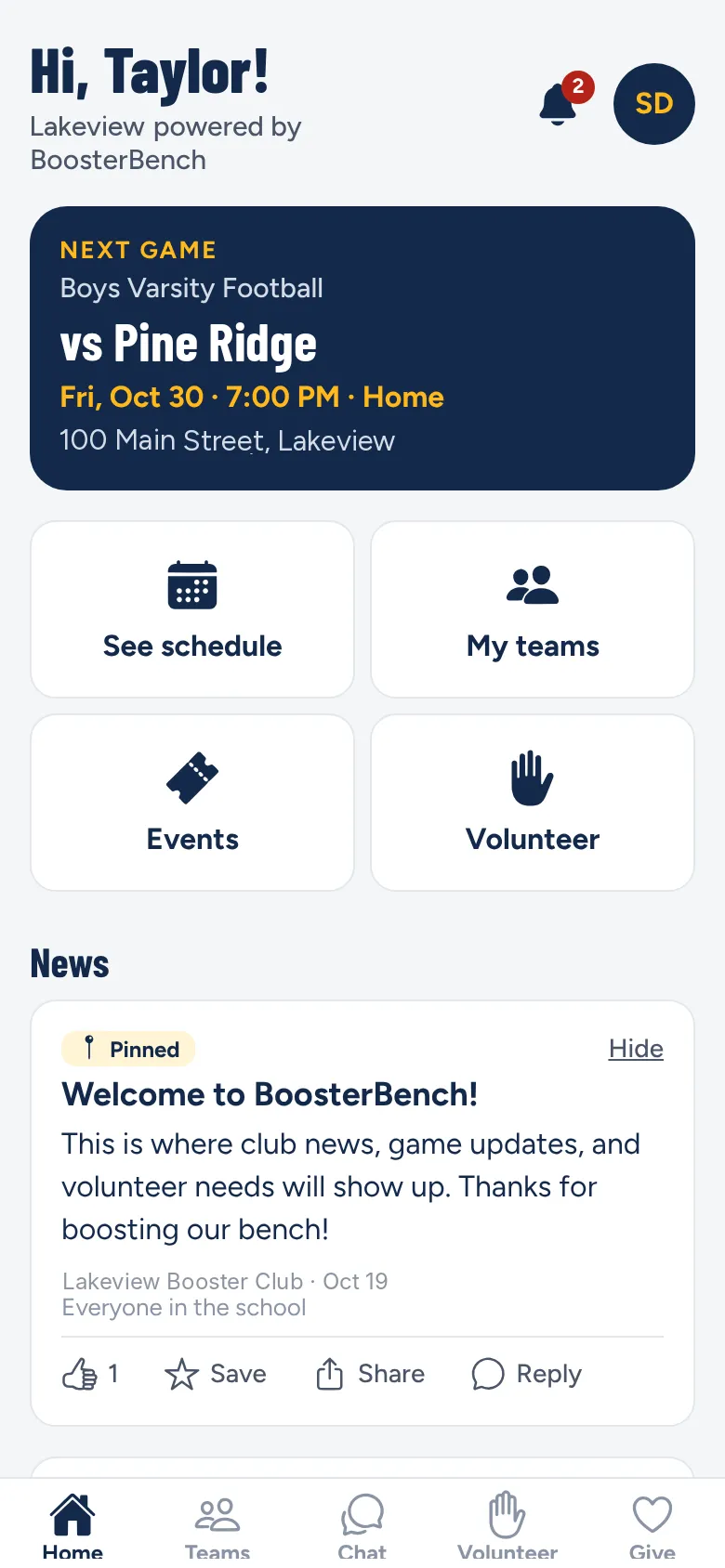
The next three days of games and practices for all your kids in one list, marked by child, plus cards for anything waiting on you.

Games and practices

Any change or cancellation sends an alert, with a map link and Add to my calendar.

Volunteer in two taps

Claim a shift or pledge food items. Reminders the day before and two hours before.

Hours and points

Hours, community service hours and points add up for each parent, each child and the family.

"I'm going"

RSVP to games and events, see the crowd count grow, and invite friends on Hype Nights.

Team photo albums

Private albums for each team. A parent OKs any photo their child posts.

Private carpool

Ask or offer rides only to carpool friends you choose.

Fan clubs

Anyone in the school can join a team's fan club to follow its schedule, news and photos.

News feed and alerts

Posts from the school, club and coaches. Choose which alerts you get.

Feedback and surveys

Send a respectful note to a coach or the club, with your name or anonymously.

The Home screen with the next game, four big buttons and the news feed

Later

On the roadmap

These three are coming next.

Later

Snack bar and apparel inventory

Enter what each item cost and its markup, and track sales against your stock.

Later

Snack bar menu ordering

Fans pick items on their phone, pay, and get an order number for the window.

Later

Venmo and PayPal

More ways to pay, alongside cards, Apple Pay, Google Pay and Cash App Pay.

Be a founding pilot

We're inviting a few schools, booster clubs and programs to try BoosterBench this season, with your name on the app. It starts with a 20-minute walkthrough.

Book a walkthrough